Cloning (Duplicating) Records
You can clone (duplicate) Information and Subject records These are records within the Clooz database representing the Subjects being researched, and contain summary information about the Subject such as the dates for birth, marriage, and death for people. when you need to split the original record into two, or in the case of Source A Source record in Clooz should be viewed as the higher-level component of one or more source citations. Source citation details are usually included in the citing Information Record. records, simply start a new record using the contents of an existing one as a template.
To clone an Information or Subject Subjects are the objects you are gathering information about such as people, buildings, ships, etc. In most cases within Clooz, the Subject will be a person. However, Clooz supports several other Subject types such as businesses, real estate/buildings, ships and artifacts. record:
-
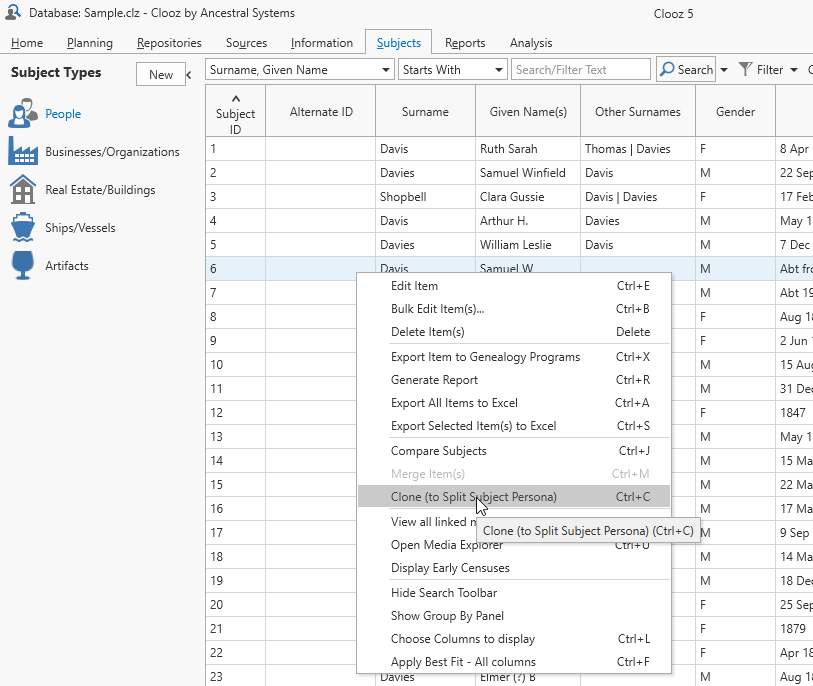 On the appropriate page of the main screen, select the record you want to clone. Only one row can be highlighted.
 -
Do one of the following to clone the record:
- Select the record and press the Ctrl+C key, or
- Right-click the highlight area and select Clone.
-
The new record will appear at the bottom of the list. Edit both the old and new records to make adjustments as required.
To create a new Source based on an existing one:
-
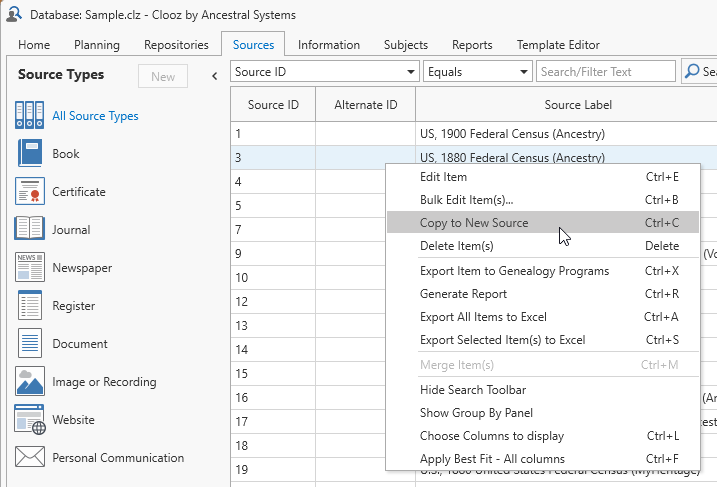 On the Source page, select the Source you want to copy. Only one Source can be highlighted.
 -
Do one of the following to copy the Source:
- Select the record and press the Ctrl+C key, or
- Right-click the highlight area and select Copy to New Source.
-
The new Source record will appear in the Source editor. Make any further data modifications.
Cloning Subject records and then deleting links to certain Information Records Information Records in Clooz hold the content information coming from a document or another source. The Information Record differs from a Source record which contains most of the citation information that describes the document or the Repository record that is referring to the facility or an online service where the document was found. is a way of recovering from the situation where you had a Subject record for a person who was really two or more different people. This operation in effect splits the initial Subject into multiple Subjects which you can then properly trim down to their respective correct identities by deleting the Information Records that do not apply to that identity.